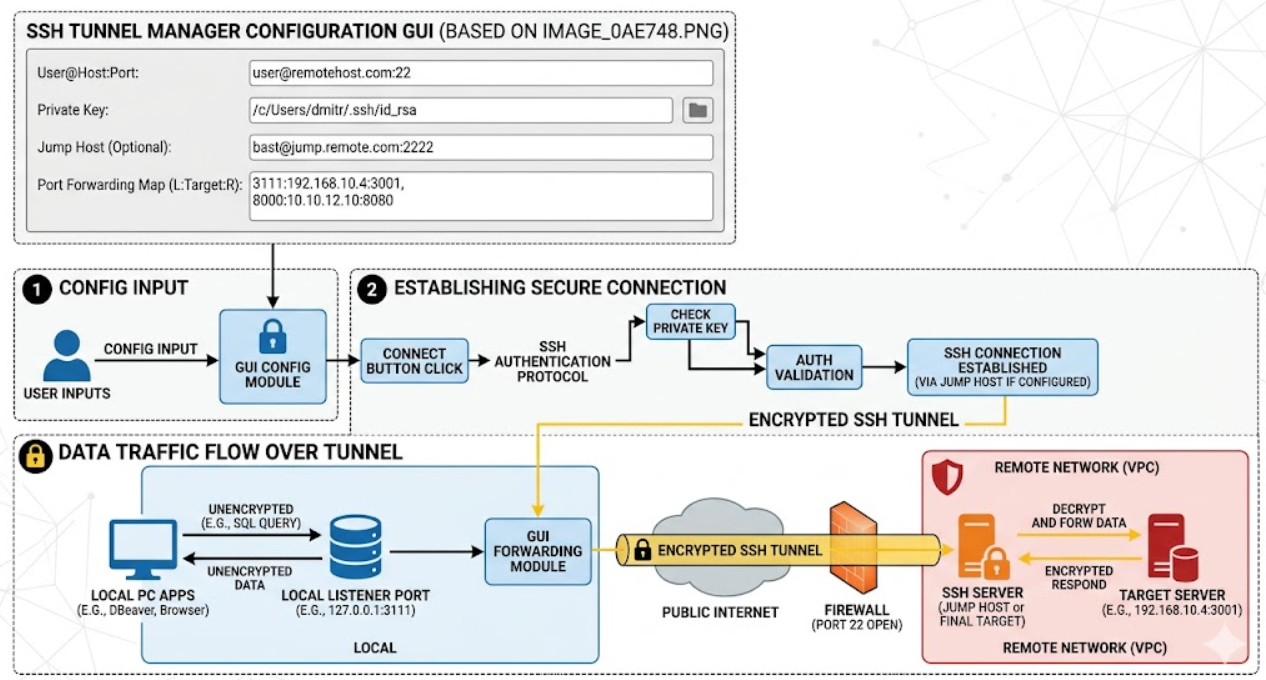
Description
Why choose a GUI-driven manager over traditional terminal commands?
-
Eliminates Syntax Errors: Stop fighting with complex
-L,-R, and-Jflags. The structured layout ensures your local ports, target IPs, and remote ports are always mapped correctly without syntax guesswork. -
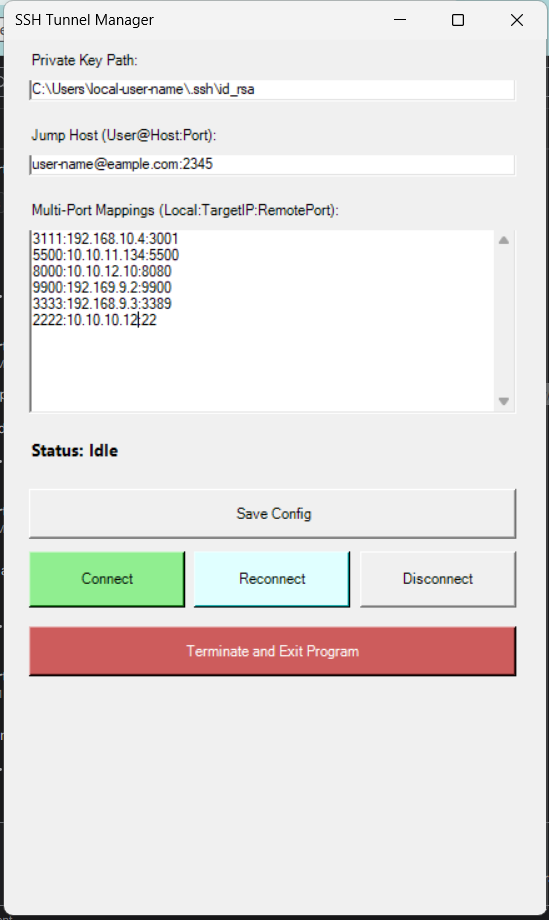
Persistent Visibility: Traditional terminal tunnels hide in the background or close without warning. The built-in status indicator gives you immediate, real-time feedback on whether your connection is active or idle.
-
Centralized Configuration: Instead of writing custom bash scripts or digging through your shell history to find that one specific port string, you can save your entire multi-port configuration with a single click.
-
Lightweight & Portable: No bloated installation process or heavy dependencies. It is a streamlined tool that launches instantly whenever you need to connect to your remote infrastructure.
🚀 Key Features
-
Streamlined Private Key Auth: Easily point to your local private keys (
id_rsa,id_ed25519) using a simple file-path configuration. No more manual-iflags. -
Built-in Jump Host Support: Easily traverse complex network infrastructure. Safely route your traffic through intermediate bastion or jump servers (
User@Host:Port) into restricted environments. -
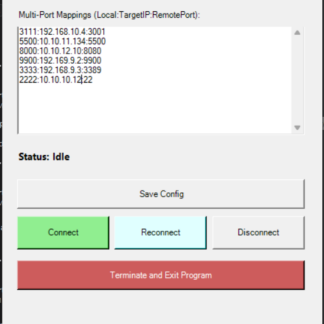
Multi-Port Mapping Matrix: Stop running separate terminal windows for every single connection. Define and manage an unlimited list of simultaneous local-to-remote port mappings (
LocalPort:TargetIP:RemotePort) directly within a single text area. -
Resilient Auto-Reconnect: Connections drop; it’s a reality of remote work. With a dedicated Reconnect feature, recovery is only a single click away, eliminating the need to tear down and rebuild your terminal setup.
🛠️ Example Use Case
Look at how easily you can map local ports to remote infrastructure behind a secure gateway:
| Local Port | Remote Target IP | Remote Port | Primary Use Case |
| 3111 | 192.168.10.4 |
3001 |
Local Development API testing |
| 8000 | 10.10.12.10 |
8080 |
Web Server / Dashboard access |
| 3333 | 192.168.9.3 |
3389 |
Encrypted Remote Desktop (RDP) |
| 2222 | 10.10.10.12 |
22 |
Nested SSH Terminal Access |